So far, all the discussion for LINQ to Objects/XML does not involve multi-threading, concurrency, or parallel computing. This is by design, because pulling values from an IEnumerable sequence is not thread-safe.When multiple threads simultaneously access one IEnumerable sequence, race condition can occur and lead to unpredictable consequence. As a result, all the LINQ to Objects/XML queries are implemented in a sequential manner with a single thread. To scale LINQ in multi-processor environment, Since .NET Framework4.0, a parallel version of LINQ to Objects is also provided, called Parallel LINQ or PLINQ.
Parallel LINQ types are provided as a parity with LINQ to Objects:
Sequential LINQ
Parallel LINQ
System.Collections.IEnumerable
System.Linq.ParallelQuery
System.Collections.Generic.IEnumerable<T>
System.Linq.ParallelQuery<T>
System.Linq.IOrderedEnumerable<T>
System.Linq.OrderedParallelQuery<T>
System.Linq.Enumerable
System.Linq.ParallelEnumerable
As the parity, System.Linq.ParallelEnumerable provides the parallel version of System.Linq.Enumerable query methods. For example, the following is the comparison of the sequential and parallel generation query methods Range/Repeat:
For each query method, the type of generic source sequence and result sequence is simply replaced by ParallelQuery, the type of non-generic sequence is replaced by ParallelQuery, and other parameter types remain the same. Similarly, the following are the ordering methods side by side, where the type of ordered source sequence and result sequence is replaced by IOrderedQueryable, and, again, the key selector callback function is replaced by expression tree:
A ParallelQuery instance can be created by calling generation methods of ParallelEnumerable, like Range, Repeat, etc., then the parallel query methods can be called fluently:
AsParallel also has a overload accepting a partitioner, which is discussed later in this chapter.
To apply sequential query methods to a ParallelQuery instance, just call ParallelEnumerable.AsSequential method, which returns ]IEnumerable, from where the sequential query methods can be called:
As demonstrated in LINQ to Objects chapter, Interactive Extension (Ix) provides a useful EnumerableEx.ForEach method, which pulls values from the source sequence, and execute the specified function for each value sequentially. Its parallel version is ParallelEnumerable.ForAll method.
Above is the output after executing the code in a quad core CPU, ForAll can output the values in different order from ForEach. And if this code is executed multiple times, the order can be different from time to time. Apparently, this is the consequence of parallel pulling. The parallel query execution and values’ order preservation is discussed in detail later.
The following ForAll overload can be defined to simply execute parallel query without calling a function for each query result:
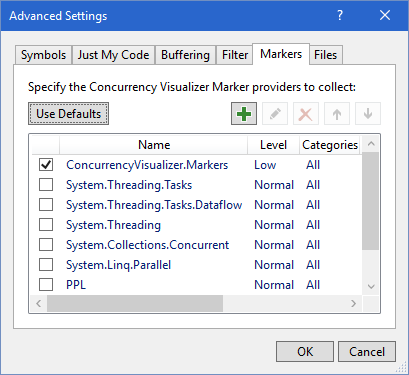
It would be nice if the internal execution of sequential/parallel LINQ queries can be visualized. This can be done in variant ways. On Windows, Microsoft has released a tool Concurrency Visualizer for this purpose. It is an extension of Visual Studio. It provides APIs to trace the execution information at the runtime. When the execution is done, it generates charts and diagrams with the collected tracing. After the installation, restart Visual Studio, go to Analyze => Concurrency Visualizer => Advanced Settings:
In the Filter tab, check Sample Events only:
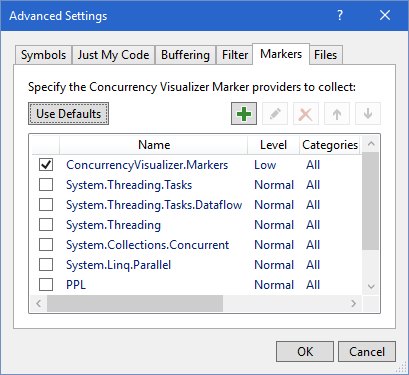
Then go to Markers tab, check ConcurrencyVisualizer.Markers only:
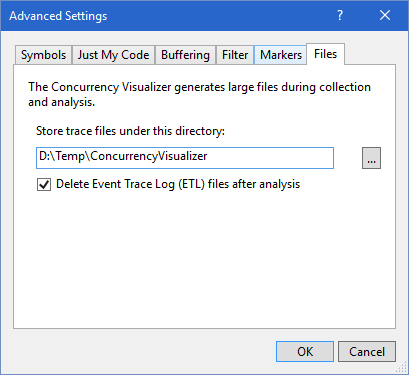
In Files tab, specified a proper directory for trace files. Notice the trace files can be very large, depends on how much information is collected.
Next, add a reference to Concurrency Visualizer library. which is a binary for downloading. For convenience, a NuGget package ConcurrencyVisualizer has been created for this tutorial. The following APIs are provided to draw timespans on the time line:
// Render a sub timespan for each action execution, with each value as text label.
28
using (markerSeries.EnterSpan(Thread.CurrentThread.ManagedThreadId, value.ToString()))
29
{
30
// Add workload to extends the action execution to a more visible timespan.
31
Enumerable.Range(0, 10_000_000).ForEach();
32
value.WriteLine();
33
}
34
});
35
}
36
}
In the functions which are passed to ForEach and ForAll, a foreach loop over a sequence with 10 million values adds some workload to make the function call take longer time, otherwise the function execution timespan looks too tiny in the visualization. Now, setup a trace listener and call the above method to visualize the execution:
using (TextWriterTraceListenertraceListener=newTextWriterTraceListener(file))
6
// Or trace to console:
7
// using (TextWriterTraceListener traceListener = new TextWriterTraceListener(Console.Out))
8
{
9
Trace.Listeners.Add(traceListener);
10
QueryMethods.ForEachForAllTimeSpans();
11
}
12
}
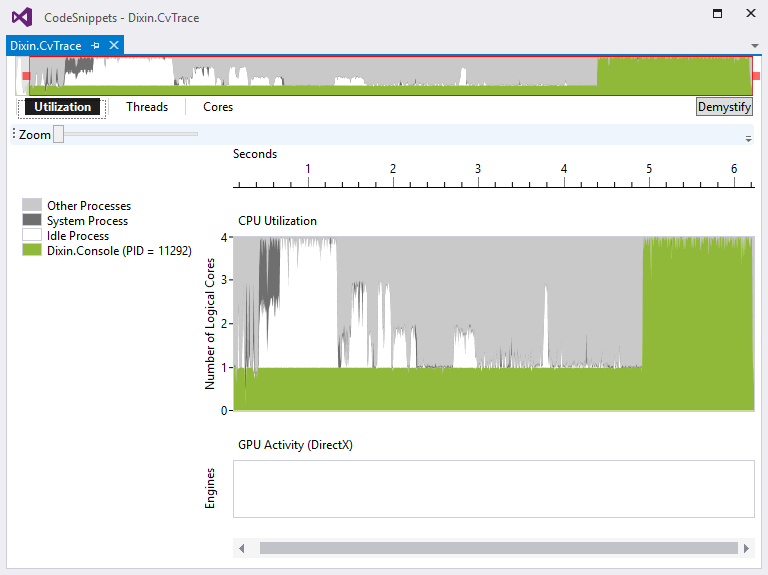
On Windows, click Visual Studio => Analyze => Concurrency Visualizer => Start with Current Project. When the console application finishes running, a rich trace UI is generated. The first tab Utilization shows that the CPU usage was about 25% for a while, which seems to be the sequential LINQ query executing on the quad core CPU. Then the CPU usage became almost 100%, which seems to be the Parallel LINQ execution.
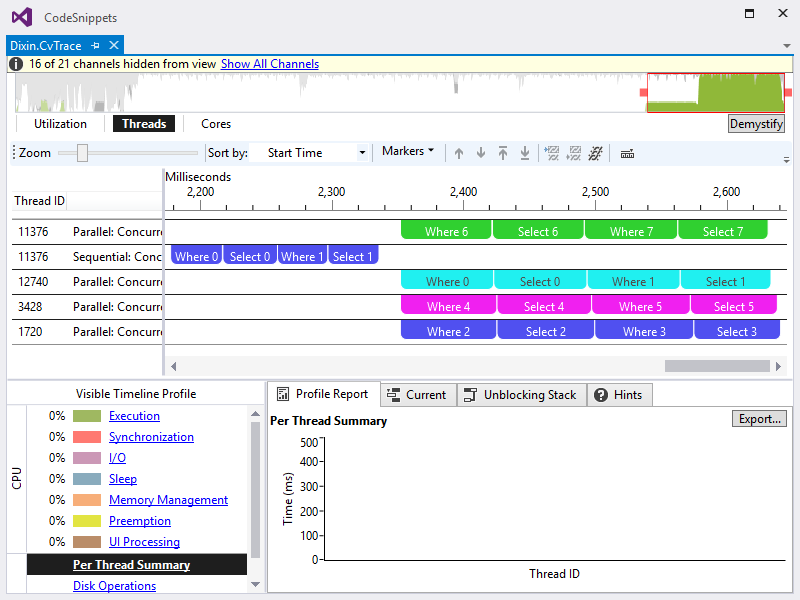
The second tab Threads proves this. In the thread list on the left, right click the threads not working on LINQ queries and hide them, the view becomes:
It uncovers how the LINQ queries execute on this quad core CPU. ForEach query pulls the values and call the specified function sequentially, with the main thread. ForAll query does the work with 4 threads (main threads and 3 other threads), each thread processed 2 values. The values 6, 0, 4, 2 is processed before 7, 1, 5, 3, which leads to the trace output: 2 6 4 0 5 3 7 1.
Click the ForEach timespan, the Current panel shows the execution duration is 4750 milliseconds. Click ForAll, it shows 1314 milliseconds:
This is about 27% of ForEach execution time, close a quarter, as expected. It cannot be exactly 25%, because On the device, there are other running processes and threads using CPU, also the parallel query has extra work to manage multithreading, which is covered later in this chapter.
In the last tab Cores, select the LINQ query threads 9884, 12360, 11696, and 6760. It shows how the workload is distributed in the 4 cores:
Above LINQ visualization code looks noisy, because it mixes the LINQ query and the tracing/visualizing. Regarding the Single Responsibility Principle, the tracing/visualizing logics can be encapsulated for reuse. The following methods wraps the tracing calls:
Besides visualizing function calls for ForEach and ForAll, the following Visualize overloads can be defined to visualize sequential and parallel query methods: