

Now it is close to the end of 2015, but Windows Live Writer 2012 is still the best Windows blogging tool. For years I use a Windows Live Writer plugin called VSPaste for code snippets. With VSPaste, any code in any language can be copied from Visual Studio, and paste into Windows Live Writer with 100% accurate syntax highlighting.
However, VSPaste has a problem with Visual Studio 2015 RTM (not with RC) – the pasted HTML code always has a white background: <span style=”background: white;”>code. To quickly fix this, the easiest way is to decompile the source code of VSPaste.
VSPaste is a small dll located in Windows Live Writer’s plugin directory: C:\Program Files (x86)\Windows Live\Writer\Plugins\VSPaste.dll. It can be decompiled to a project with source code, by .NET reflector free trial version:

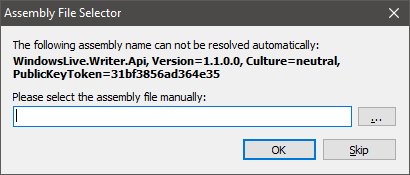
Reflector will ask for reference assembly, just point it to C:\Program Files (x86)\Windows Live\Writer\WindowsLive.Writer.Api.dll. Then it decompiles VSPaste.dll to a complete C# project.
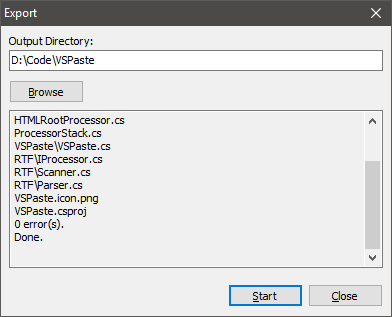
Now open the VSPaste.csproj, and search for string “background”. Here it is:
private void SyncColors(bool bgOnly){ int? nullable; int? nullable2; if ((this.background != this.nextBackground) || ((((nullable = this.color).GetValueOrDefault() != (nullable2 = this.nextColor).GetValueOrDefault()) || (nullable.HasValue != nullable2.HasValue)) && !bgOnly)) { if (this.color.HasValue || this.background.HasValue) { this.writer.Write("</span>"); } this.color = this.nextColor; this.background = this.nextBackground; if (this.color.HasValue || this.background.HasValue) { this.writer.Write("<span style=\""); if (this.color.HasValue) { this.writer.Write("color:"); this.writer.Write(this.colors.CssColor(this.color.Value)); } if (this.background.HasValue) { if (this.color.HasValue) { this.writer.Write(';'); } this.writer.Write("background:"); this.writer.Write(this.colors.CssColor(this.background.Value)); } this.writer.Write("\">"); } }}Just comment out the 2 highlighted statement and compile, then copy the new VSPaste.dll to C:\Program Files (x86)\Windows Live\Writer\Plugins. It is done. Please notice only debug build works here. Release build will crash. Now VSPaste works with Visual Studio 2015 again.